The teleprompter, unfolded for iPhone Duo.
Open iPhone Duo and NexCam uses the whole inner display. The screen splits where the fold runs: your script list on one side and the editor on the other, the prompter on the half with the camera, the recording controls on the half without it. Close the phone and the outer display runs the full NexCam phone app.
available now in version 1.3 · a free update · $9.99 once, no subscription
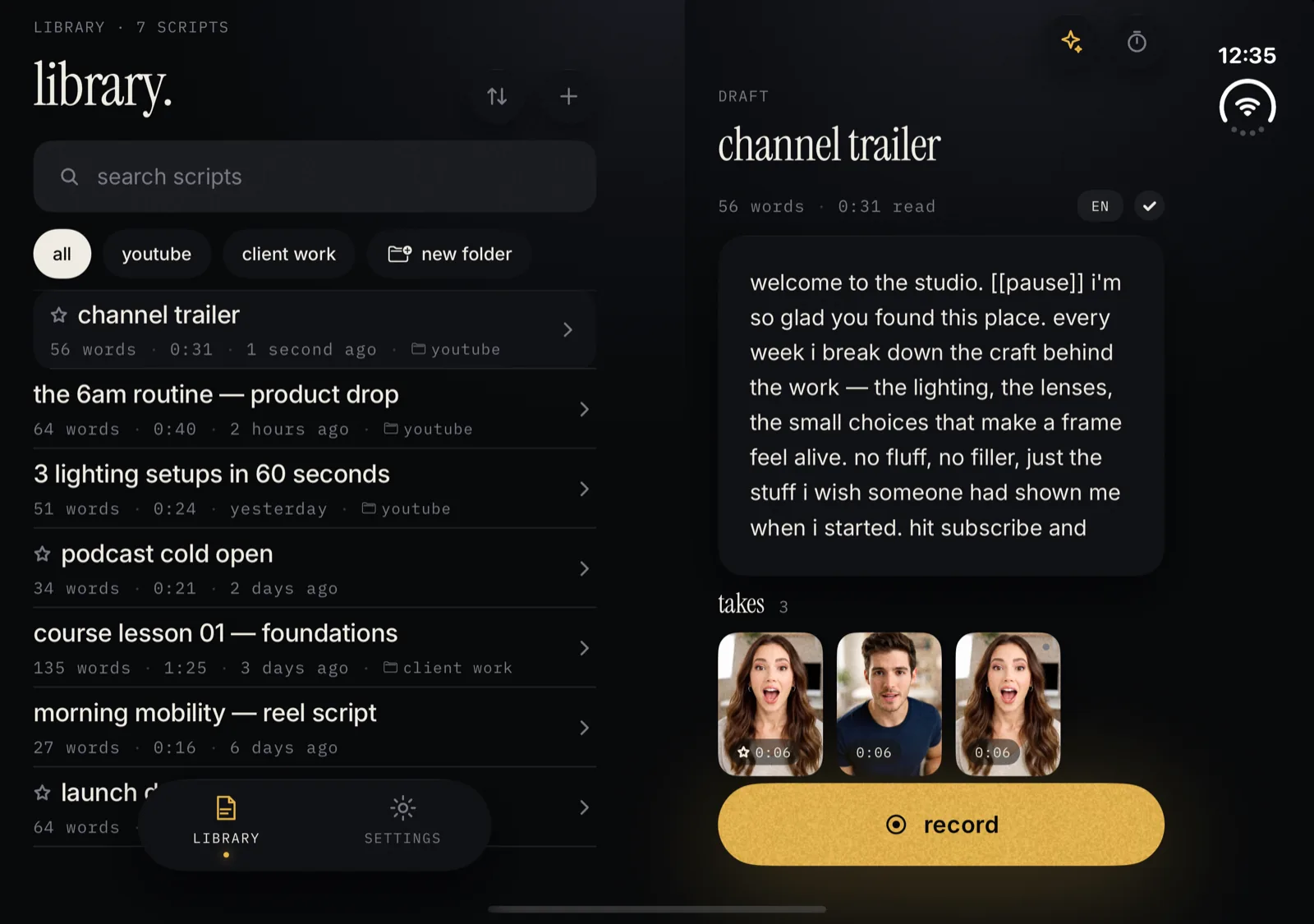
Scripts on the left, the one you picked on the right. Choosing a script opens it beside the list instead of covering it, and the tab bar stays under the list.
Split where the fold runs
NexCam's screens were drawn as tall phone columns. Stretched across the Duo's open display, one column would give you very long lines and a record button sitting on the hinge. So in version 1.3 each main screen becomes two panes, divided at the fold.
- Library and editor. The list stays on the left and the script you pick opens in the editor on the right, with its word count, read time, past takes and the record button. Fold or unfold the phone halfway through an edit and the script you had open stays open.
- Recording. The scrolling script sits on the half of the screen that holds the inner camera, so the line you are reading stays close to the lens. The other half becomes a control deck with the elapsed time, the prompter state, the scroll mode, speed and dim sliders, your saved presets, and the record button underneath.
- Take review. The player gets one half. The timeline, split, delete and undo, and the favorite, captions, export and delete buttons sit on the other.
- Caption studio. Your video plays on the left while the templates, fonts, sizes and colors scroll on the right.
- Settings. Two columns of cards instead of one long stack.
Buttons, sliders and the tab bar never land on the fold. Things that scroll, like the script list and the prompter text, are allowed to run across it. With the Duo partly open in the book pose you get the same split, and the countdown and prompter stay on the camera half.
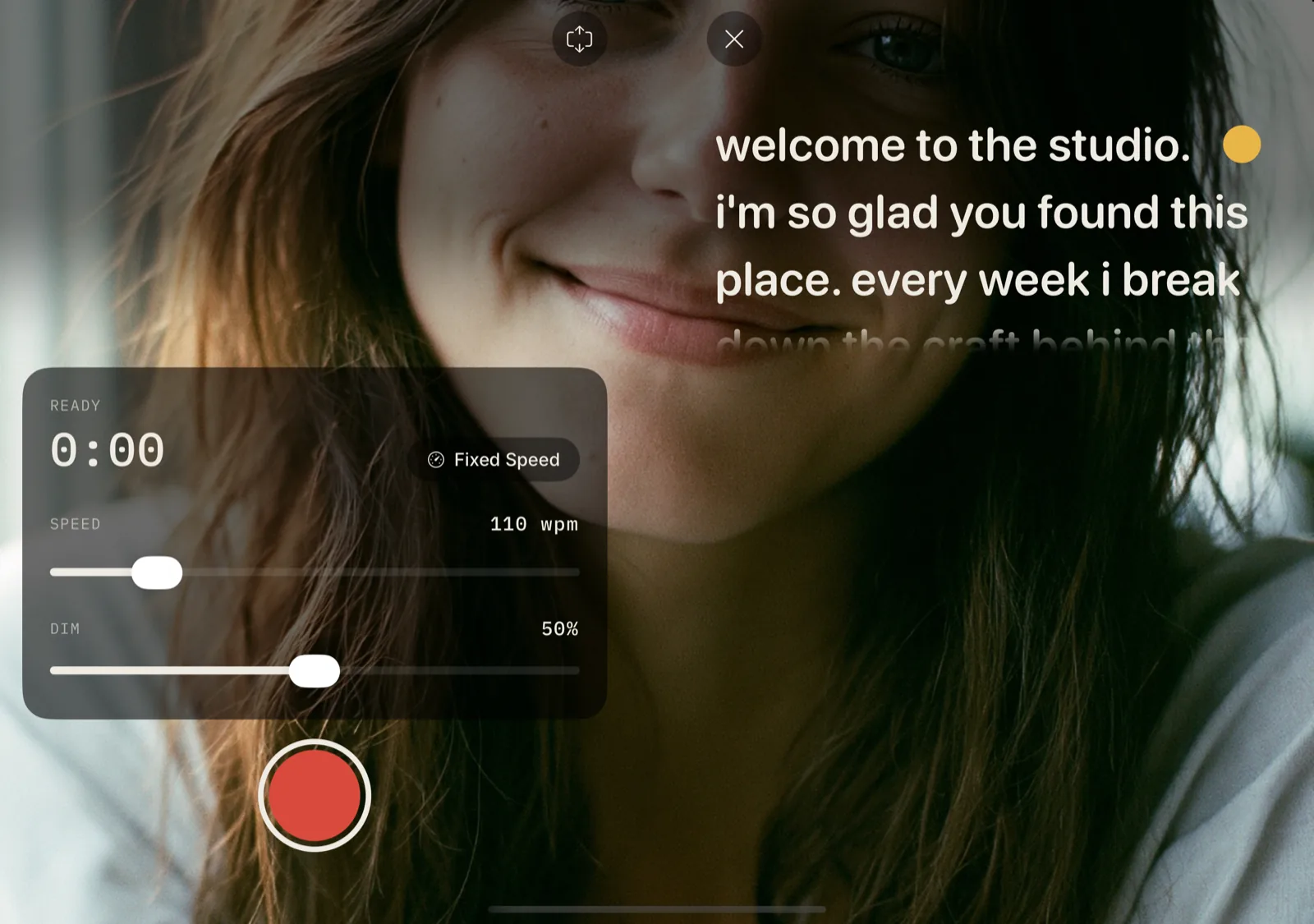
The prompter on the camera half. Time, mode, speed, dim and the record button on the other.
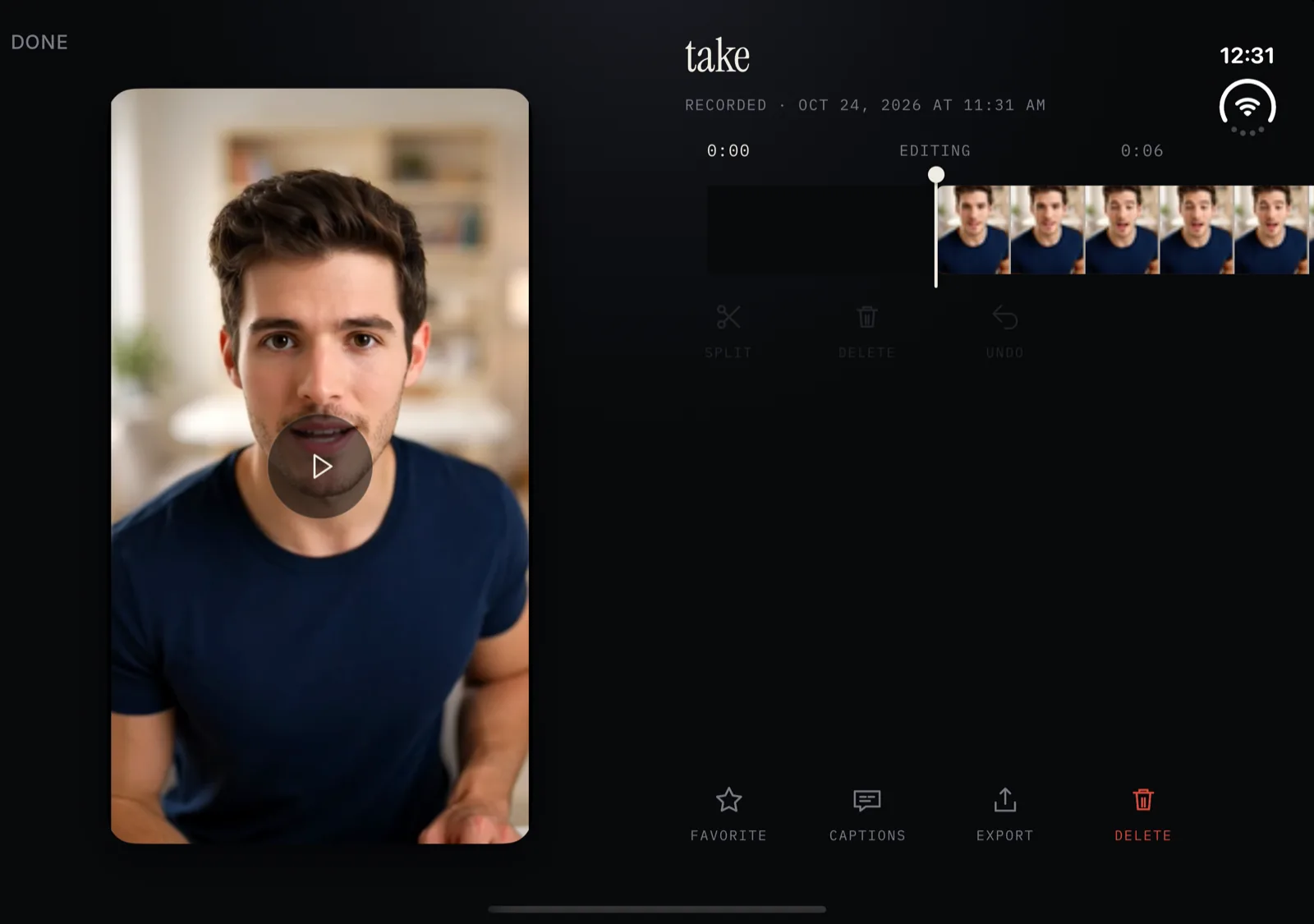
Watch the take on one half while you trim it on the other.
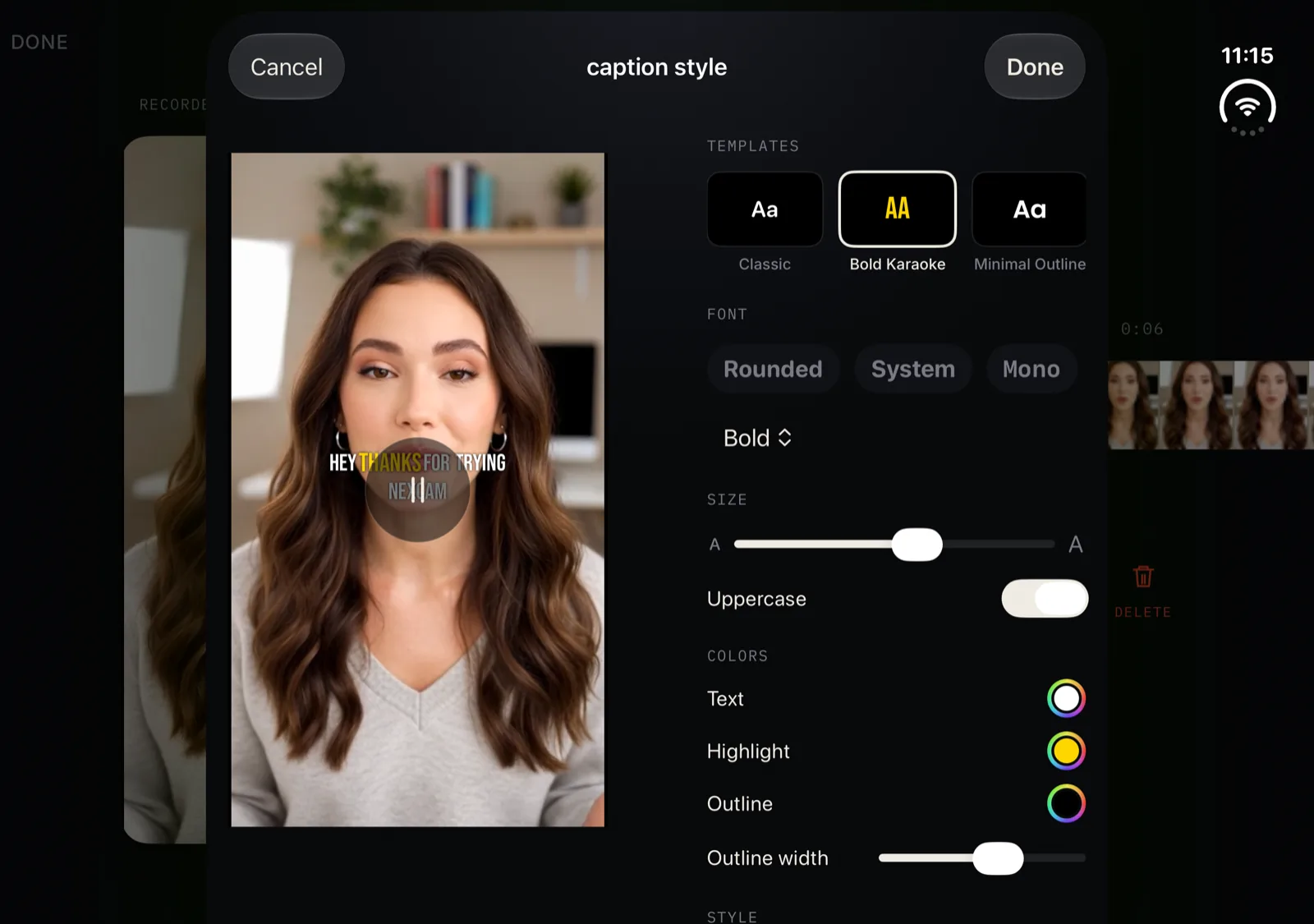
Preview the captions on the left as you change their style on the right.
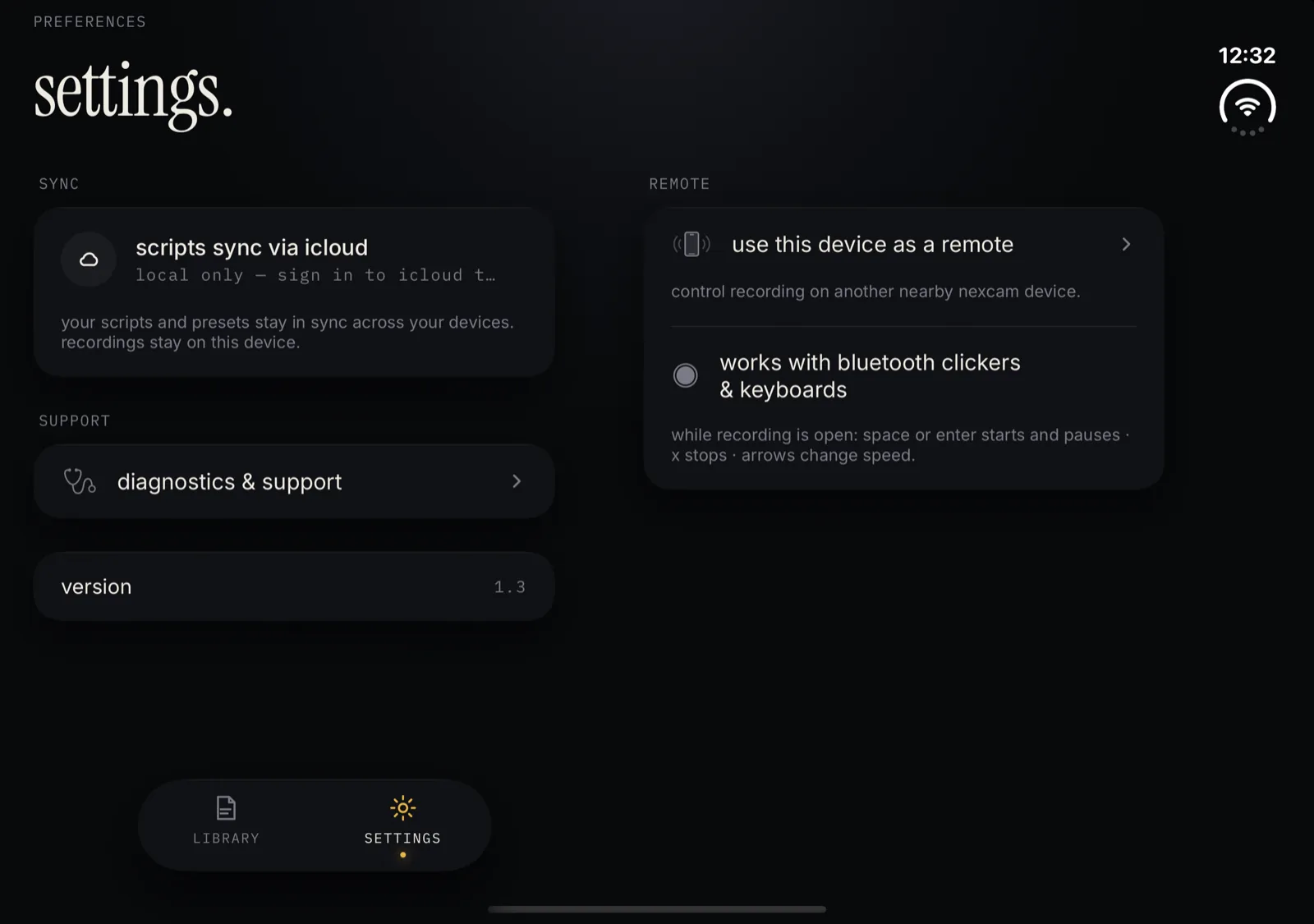
Sync and support in one column, the remote and clicker options in the other.
When the Duo is closed
Folded shut, the outer display gets the regular NexCam phone layout: the same library, editor and lens-locked recording screen you would see on any iPhone. The outer display keeps its status bar in a column along the right edge, so every screen lays out beside that column. Long script details shorten instead of wrapping onto extra lines, and the scrolling rows of folder chips and presets stop at the edge rather than sliding under it.
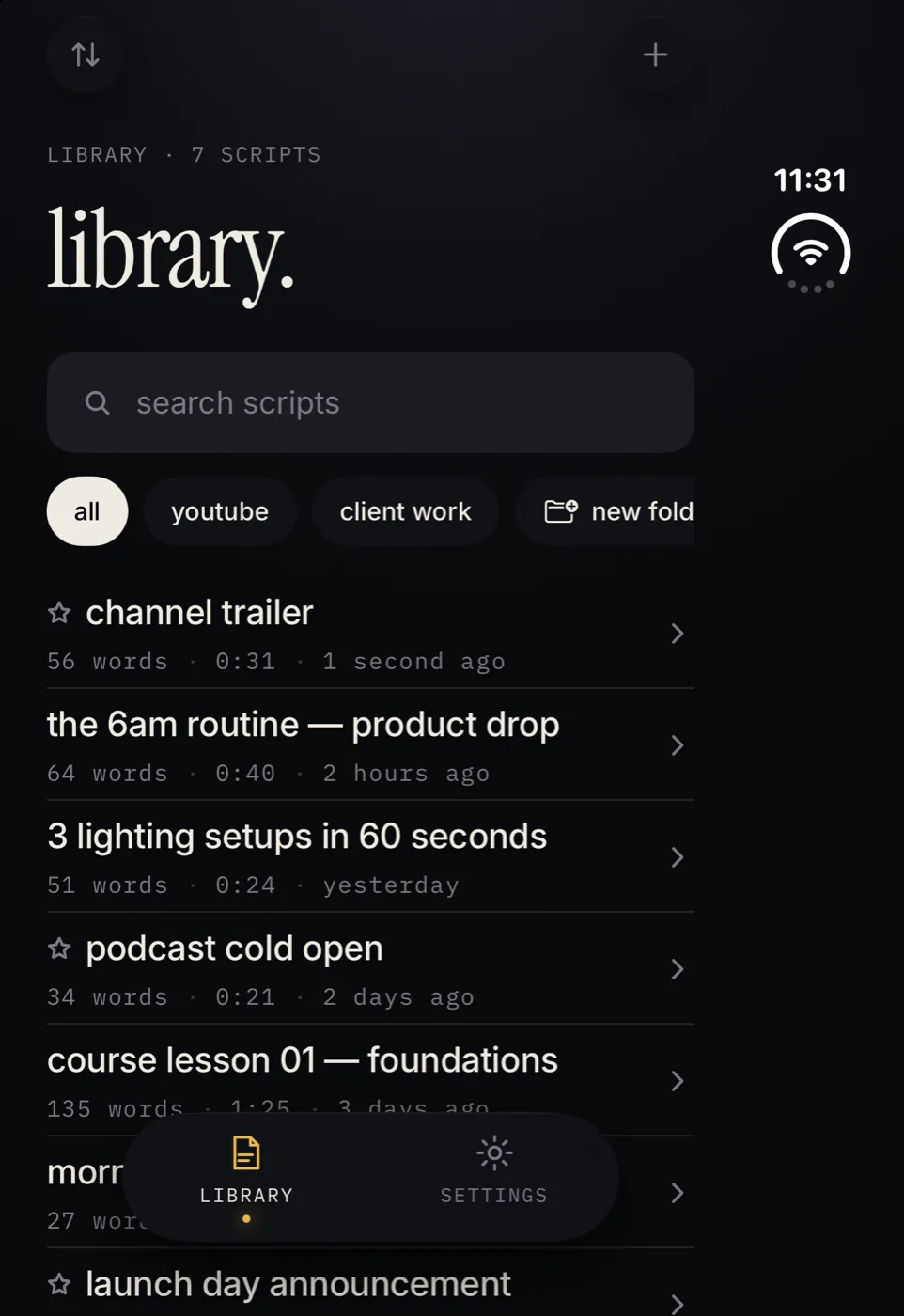
The full library, laid out beside the status column.
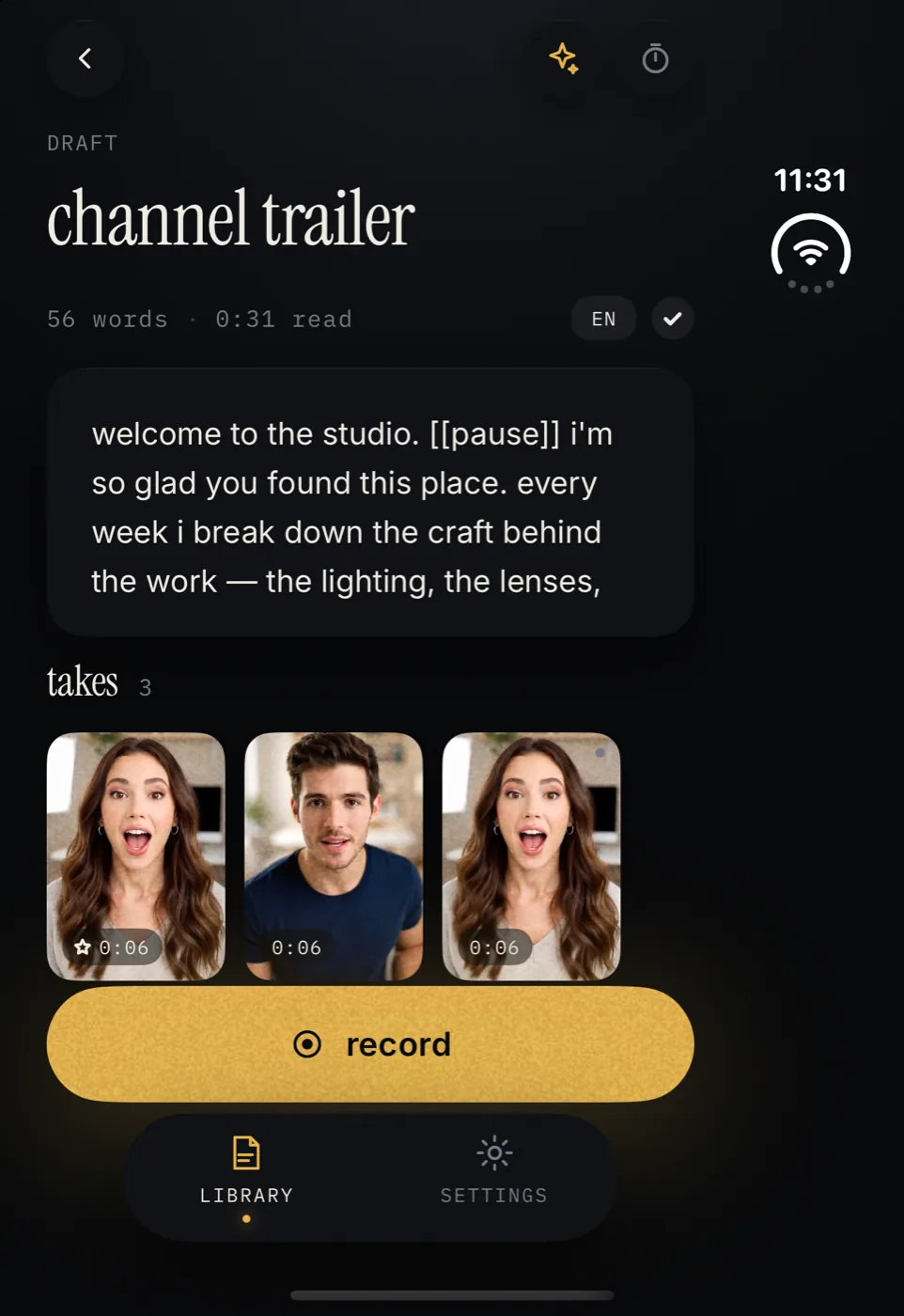
A script, its takes and the record button.
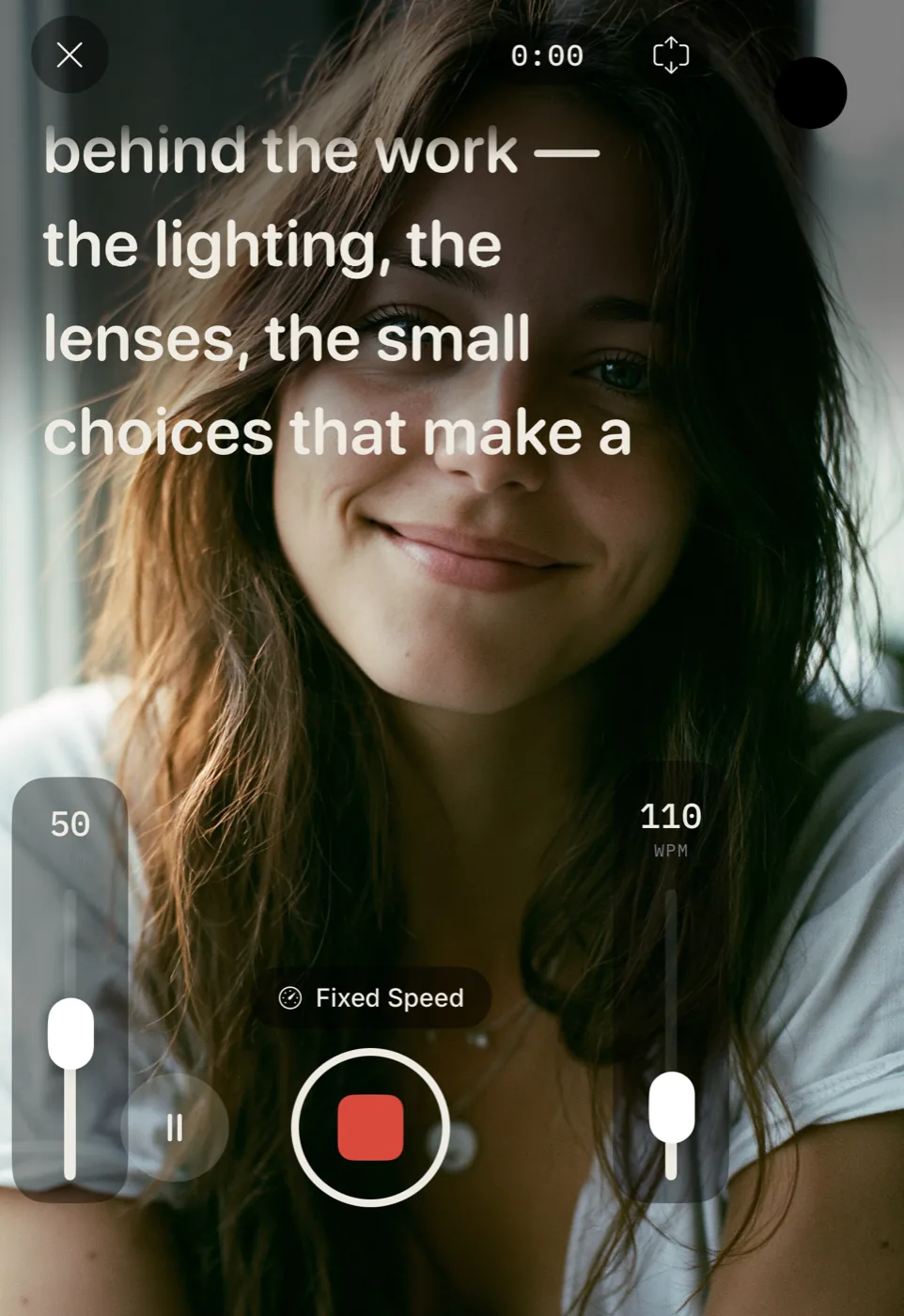
The prompter band up top near the camera, dim and speed on the sides.
A prompter for the person you film
Version 1.3 also adds an optional outer-display prompter. When you record someone else with the rear camera, NexCam can show the script on the outer display so the person in front of the lens can read it. It scrolls in step with the prompter on the inner display, shows a small REC indicator while you record, and has no controls of its own: everything stays on your side.
Turn it on from the Layout menu on the recording screen, under Outer display › Script for your subject. NexCam remembers the choice for next time.
Everything else comes along
The Duo layout only appears when NexCam has a wide window to work with. On a single-screen iPhone the app looks the way it always has, and on iPad the same two-pane layouts now show up in landscape as well.
The rest of NexCam is the same app on every screen: crash-proof recording with take recovery, Voice Track scrolling, on-device captions and watermark-free export. See all of NexCam's features on the home page.
iPhone Duo questions
Does NexCam work on iPhone Duo?
Yes. NexCam 1.3 adds layouts made for iPhone Duo's open inner display and its closed outer display. Version 1.3 is available now on the App Store, a free update for everyone who owns NexCam.
What changes when I unfold it?
The screen splits into two panes at the fold. The library shows your scripts on one side and the open script on the other. Recording puts the prompter on the camera half and the controls on the other half. Take review, the caption studio and settings each use both halves. Buttons and sliders stay off the fold.
Does NexCam work when the Duo is closed?
Yes. The outer display runs the regular phone layout, fitted beside the status column on its right edge, so you can write, record and review without opening the phone.
Where is the script when I record on the open display?
On the half of the inner display that holds the camera, so you read close to the lens. Speed, dim, the scroll mode, your presets and the record button move to the other half.
Can the person I'm filming see the script?
If you turn it on. An optional outer-display prompter, off by default, shows the script on the outer display while you record with the rear camera. It scrolls in step with the prompter on the inside and has no controls of its own. Find it in the Layout menu under Outer display.
Do I have to buy NexCam again for iPhone Duo?
No. NexCam is a single $9.99 purchase with no subscription, and the iPhone Duo layout comes in a regular update. On a single-screen iPhone, the app looks and works the way it always has.